Frame the shot
Preview the active format, use guides, adjust supported zoom or focus controls, and choose a capture setup that fits the current device.
One-take multi-format camera
Record one take, keep vertical 9:16 and horizontal 16:9 outputs together, and finish from a local review-and-edit flow built for iPhone and iPad. Record one take and keep vertical 9:16 plus horizontal 16:9 clips together.
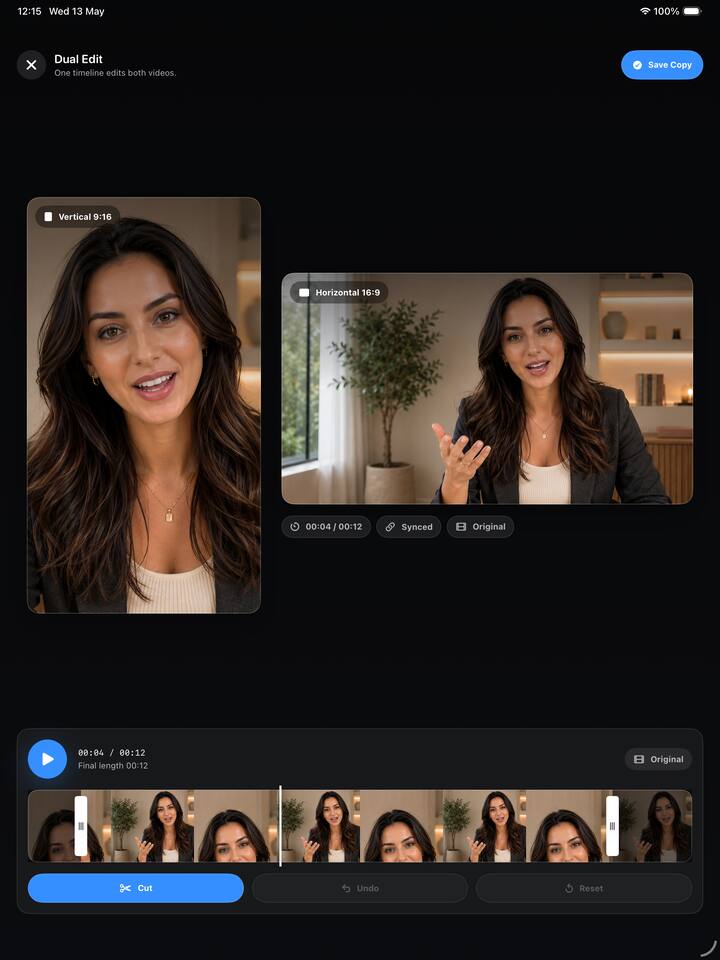

Frame Pair keeps the recording, review, trim, and export decisions in one local workflow.
Preview the active format, use guides, adjust supported zoom or focus controls, and choose a capture setup that fits the current device.
Supported devices can record paired clips. When dual capture is unavailable, single-camera mode can still generate both formats locally.
Review the pair, trim aligned clips, make a combined video when needed, then save to Photos or share through the system.
Beyond the paired output, the app focuses on capture decisions that are hard to fix after recording.
Safe-zone and grid overlays help plan the crop before a performance, demo, or explanation starts.
Use Rear Lenses, Scene + Self, or Single Camera mode depending on hardware support and the shot you need.
Fast, HD, and adaptive quality options resolve against the active device instead of assuming every camera can do the same thing.
A passive audio meter helps confirm microphone activity before and during a take.
Trim aligned clips together, make middle cuts, or reset without overwriting the original local files.
Turn a pair into one picture-in-picture or split-screen video when a single export fits the destination better.
Use it for moments that are hard to repeat cleanly and need more than one publishing shape.
Walk through a product once, then choose the output that fits a short feed, a YouTube upload, or a website embed.
Keep the explanation, hand movement, or screen-side setup consistent across both output shapes.
Record the announcement once and decide later which format to publish, edit, combine, or discard.
Plan subject placement before recording so the same conversation can work in vertical and wide layouts.
Avoid coordinating two devices when you need one person, one setup, and fewer files to manage.
Keep captures in the app until you choose Photos, share, or another take.
Frame Pair Camera supports iPhone and full-screen iPad workflows, while camera features adapt to the device, operating system, permissions, and current camera conditions.
The public app page lists support for iOS 17.0 or later and iPadOS 17.0 or later.
Dual-camera capture depends on supported hardware, iOS or iPadOS capabilities, active camera conditions, battery, thermal state, and camera pressure.
When dual capture is unavailable, the app can fall back to a single-camera workflow when possible.
Quality choices adapt to the active device and camera setup, instead of assuming every camera can use the same capture settings.
The interface stays close to the creator workflow: capture, review, trim, save, and share through the system.
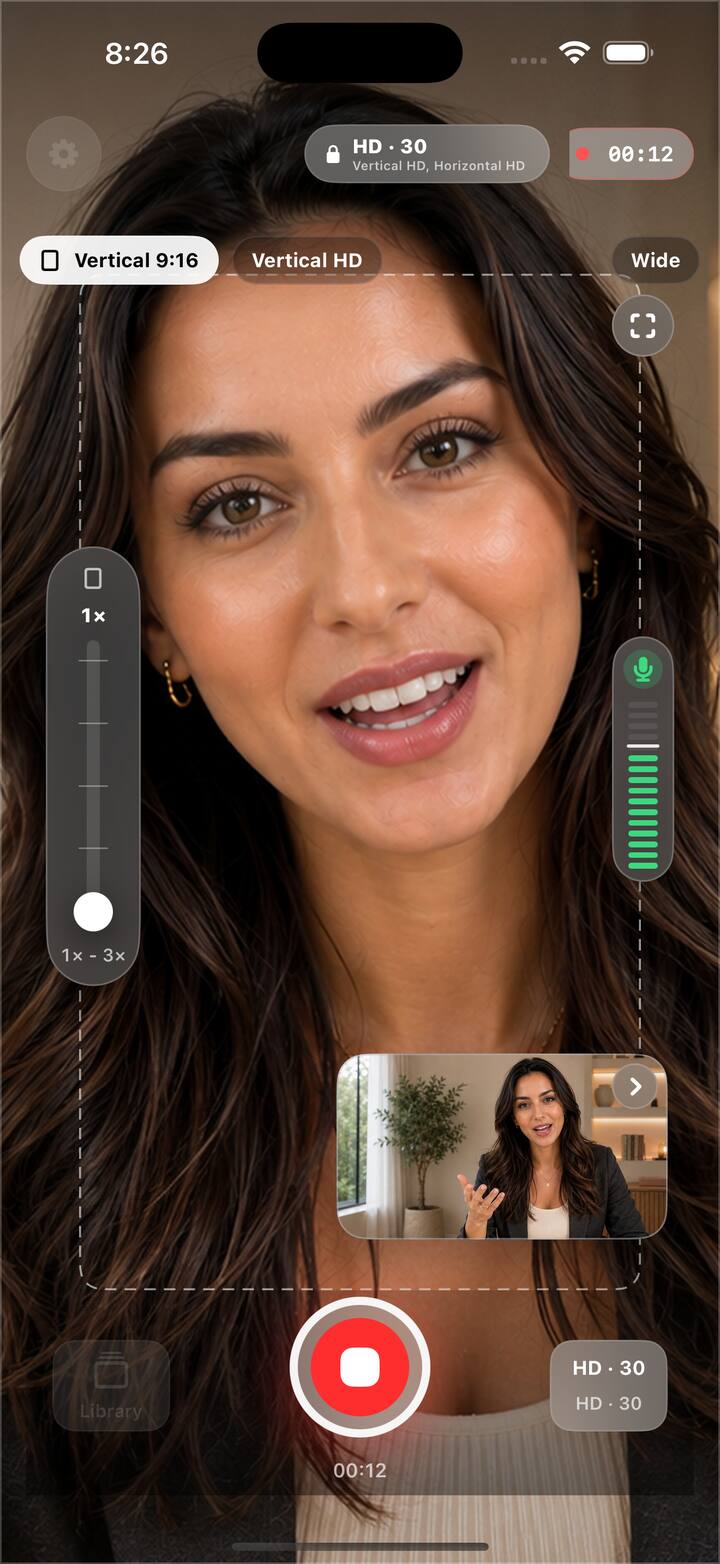
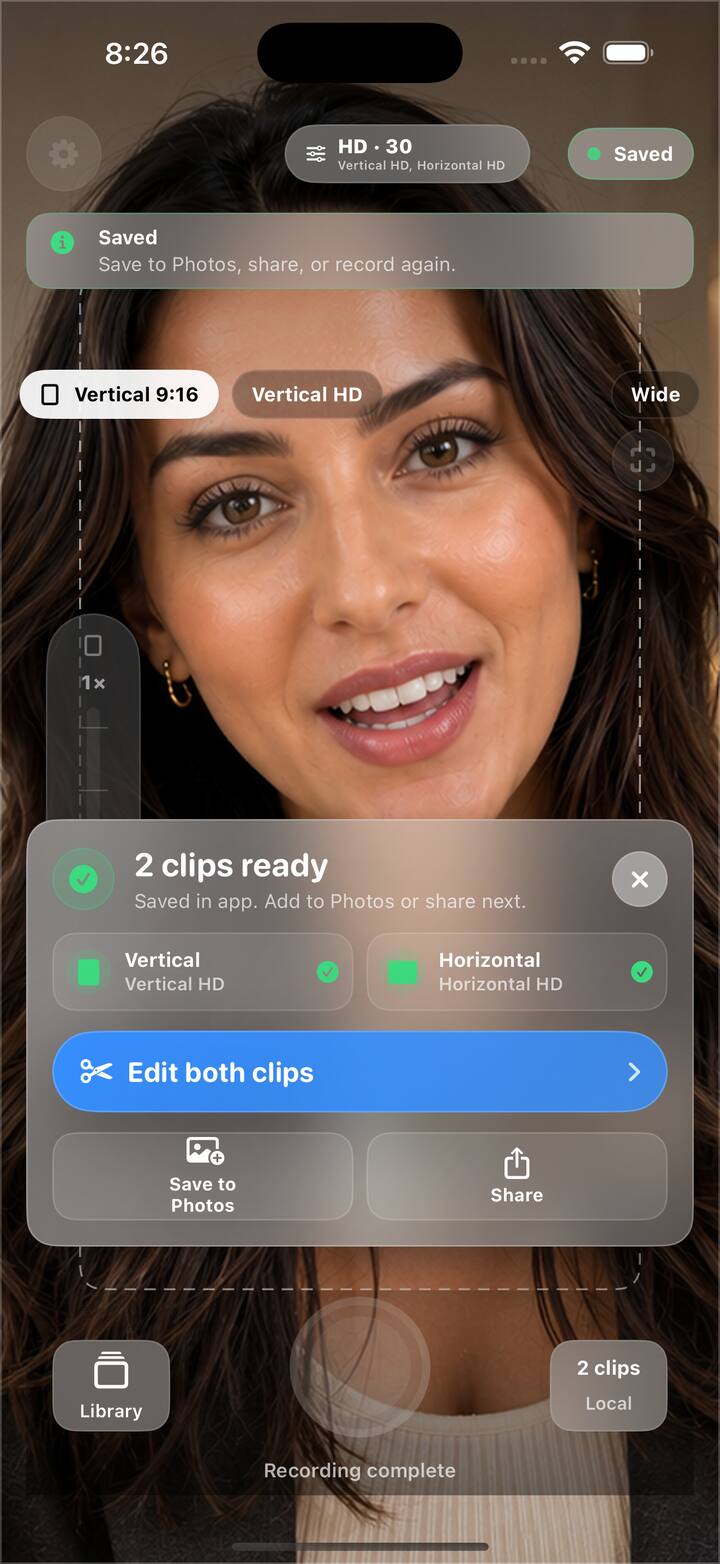
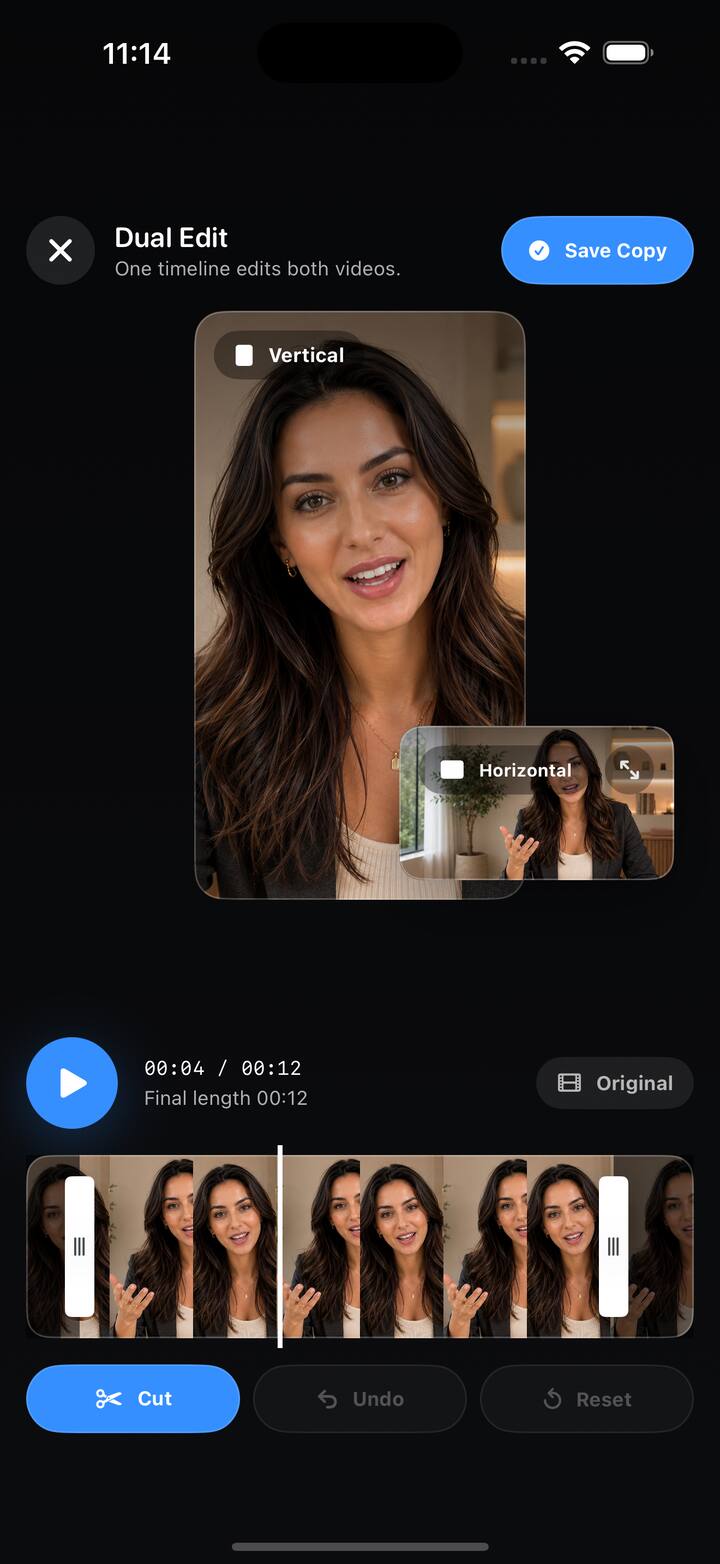
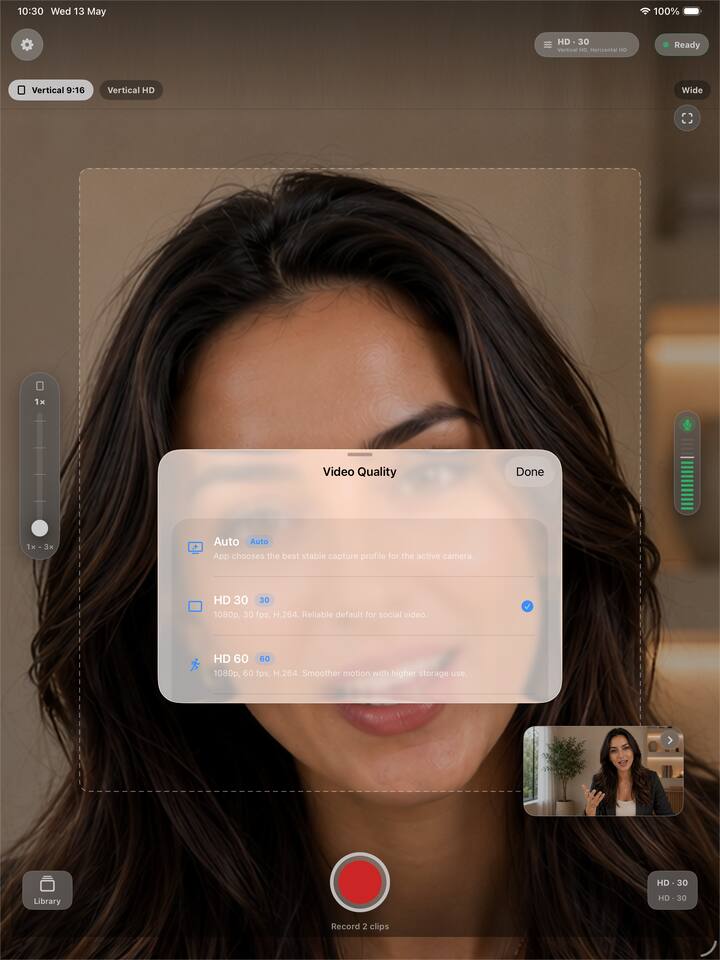
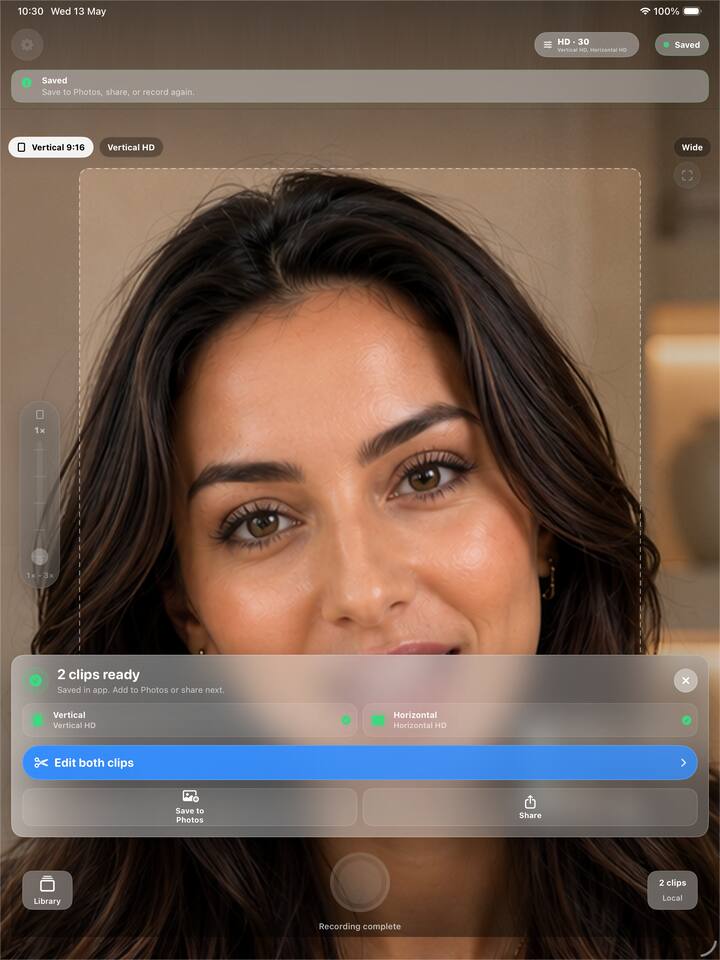
Download the product assets used on this page, including the App Preview demo video, real app icon, screenshots, legal pages, and marketing copy.
One package with the current website media and copy. The full App Preview demo is linked below and included in the downloadable pack.
MP4 preview video used in the website hero, ready for review or reuse where accepted.
iPhone and iPad captures covering recording, result tray, editor, and quality selection.
Real 1024x1024 app icon, product copy, Privacy Policy, and Terms of Service.
Find quick answers for recording, saving, sharing, privacy, and device compatibility. If the answer does not cover your issue, use the contact form below to open an editable email draft.
No. Frame Pair Camera is local-first and does not automatically upload recordings, photos, videos, edited clips, or logs.
Dual-camera capture depends on supported hardware, iOS or iPadOS capabilities, active camera conditions, battery, thermal state, and camera pressure. When dual capture is unavailable, the app can fall back to a single-camera workflow when possible.
Yes. On supported devices, Frame Pair Camera records paired vertical and horizontal clips. In single-camera mode, the app can generate both formats locally from one source clip.
Finished videos stay local until you choose what to do next. Save to Photos writes the selected outputs to your Photos library, and Share opens the system share sheet.
Camera and microphone permissions are used for recording. Add-only Photos permission is requested only when you choose to save finished videos to Photos.
The public app page lists support for iOS 17.0 or later and iPadOS 17.0 or later. Camera features still vary by device hardware, operating system capabilities, permissions, and current camera conditions.
No. Report Problem and the website support link create an editable email draft. They are not sent automatically and do not attach recordings, photos, videos, or log files.
Contact form
This prepares an editable email draft. Nothing is sent automatically, and recordings, photos, videos, and logs are not attached.
Download the app from the App Store and record once for vertical and horizontal social video formats.