Frame both formats
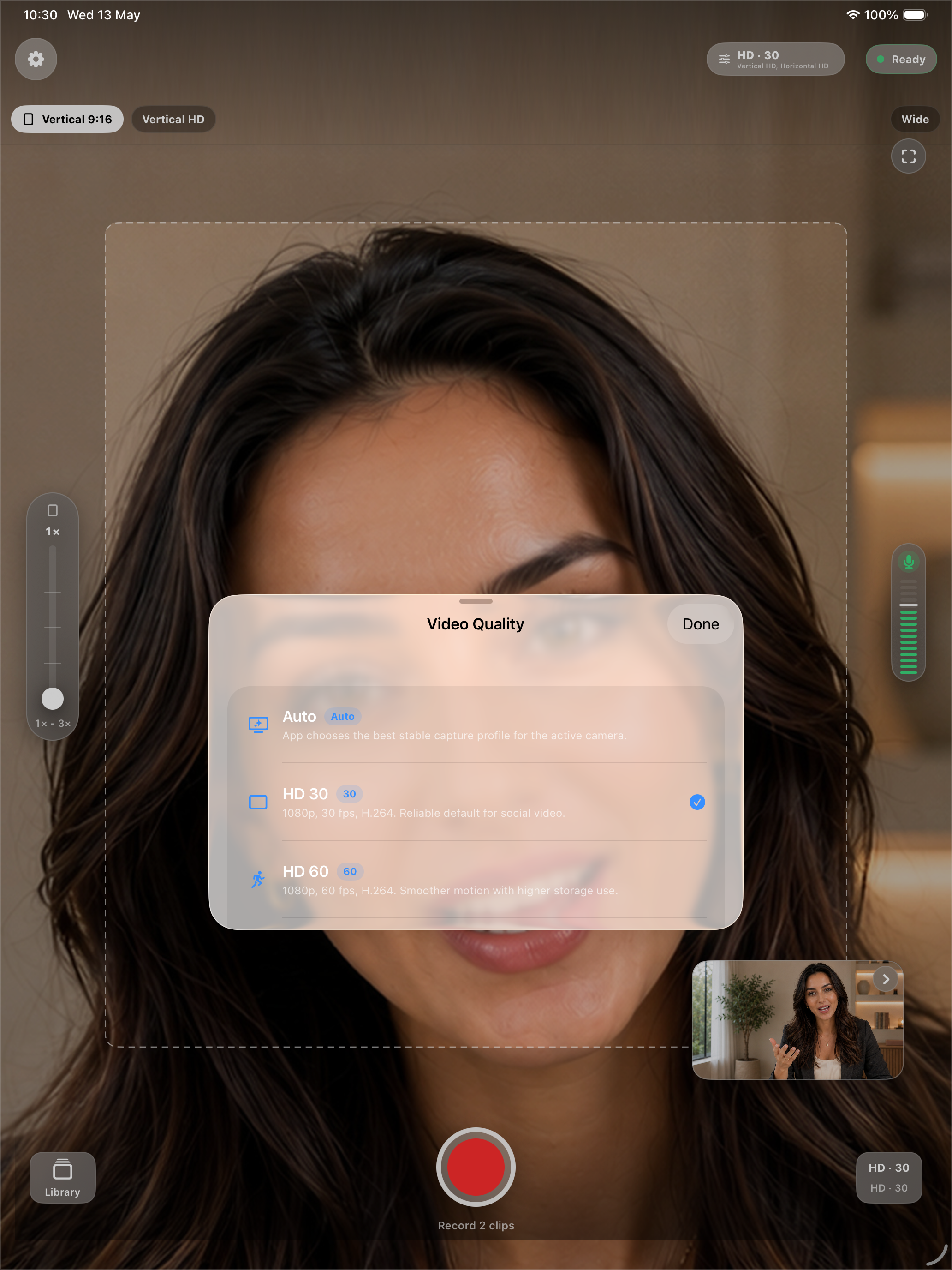
Use the live workspace, guides, quality controls, zoom, and focus tools to plan vertical and horizontal output before recording.
One-take multi-format camera
Record once and create both vertical 9:16 and horizontal 16:9 video clips for TikTok, Instagram Reels, YouTube Shorts, and YouTube. Frame Pair Camera helps creators avoid repeat takes, second-device setups, and post-production reframing. Record once for TikTok, Reels, Shorts, and YouTube. Get vertical 9:16 and horizontal 16:9 clips from one take.
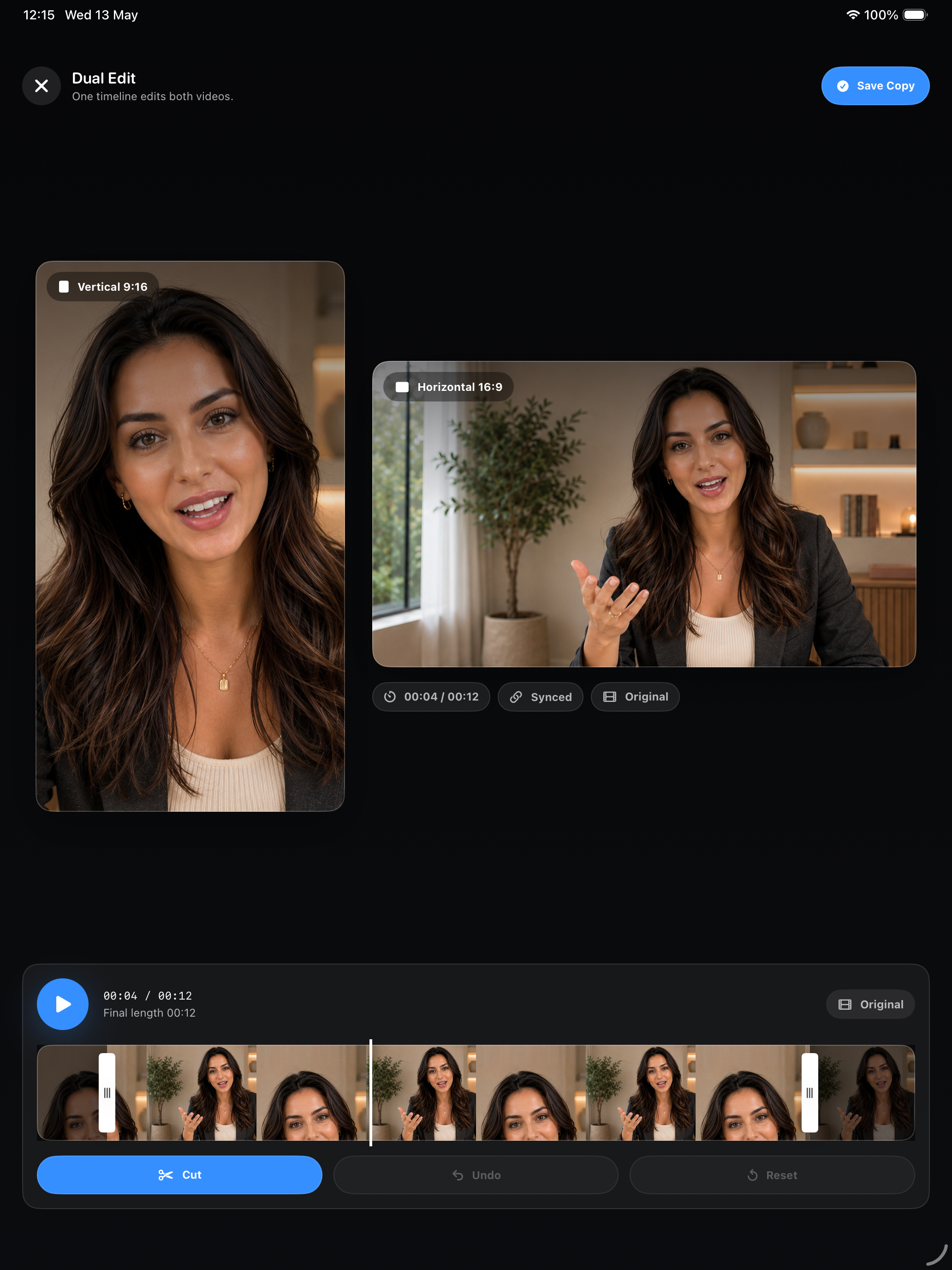

Frame Pair Camera is built for creators who need the same moment in both vertical and horizontal formats without filming it twice.
Use the live workspace, guides, quality controls, zoom, and focus tools to plan vertical and horizontal output before recording.
On supported devices, dual capture creates paired vertical and horizontal clips. Single-camera mode can generate both formats from one source clip.
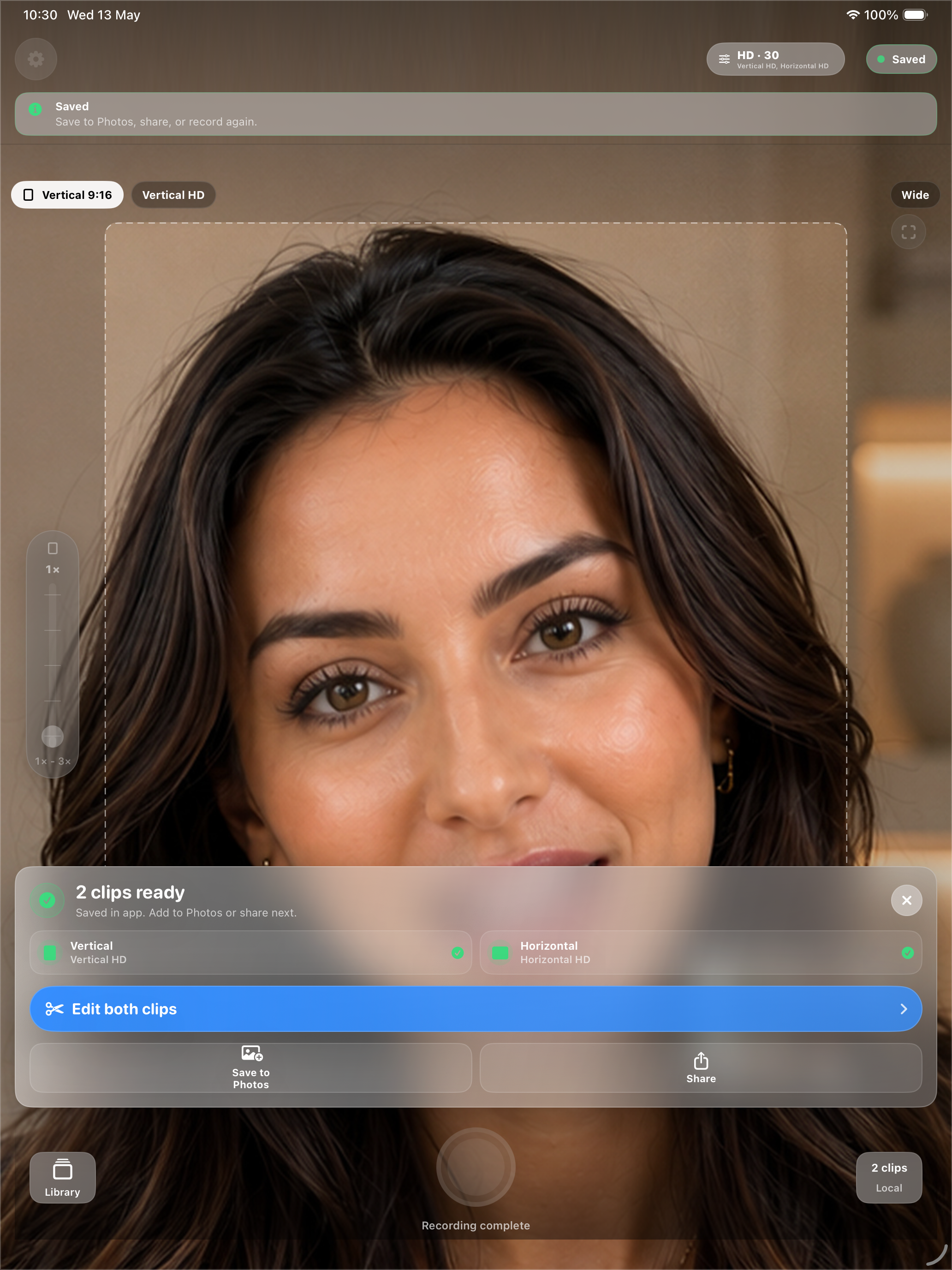
Trim paired clips together, save finished outputs, then choose Photos or the system share sheet when you are ready to post.
Frame Pair Camera is built for shoots where one performance, product demo, interview, or update needs to work across several publishing formats.
Capture the moment once instead of trying to repeat the same delivery for vertical and horizontal versions.
Avoid lining up two phones, matching audio, or managing two separate recordings for the same scene.
Plan for 9:16 short-form feeds and 16:9 wide video before recording, not after the moment is gone.
Review the vertical and horizontal results together so you can decide what to save or share next.
Use the paired editor to trim both outputs together and keep the takes aligned.
Dual-camera capture is used on supported devices, with a single-camera fallback when dual capture is unavailable.
Frame Pair Camera is useful when the same take needs to work as a vertical short-form clip and a horizontal video.
Traditional creator workflows often require two phones, repeated takes, or cropping a horizontal video into a vertical frame after recording. Frame Pair Camera lets you plan both outputs before recording and review the paired clips together.
The interface stays close to the creator workflow: capture, review, trim, save, and share through the system.
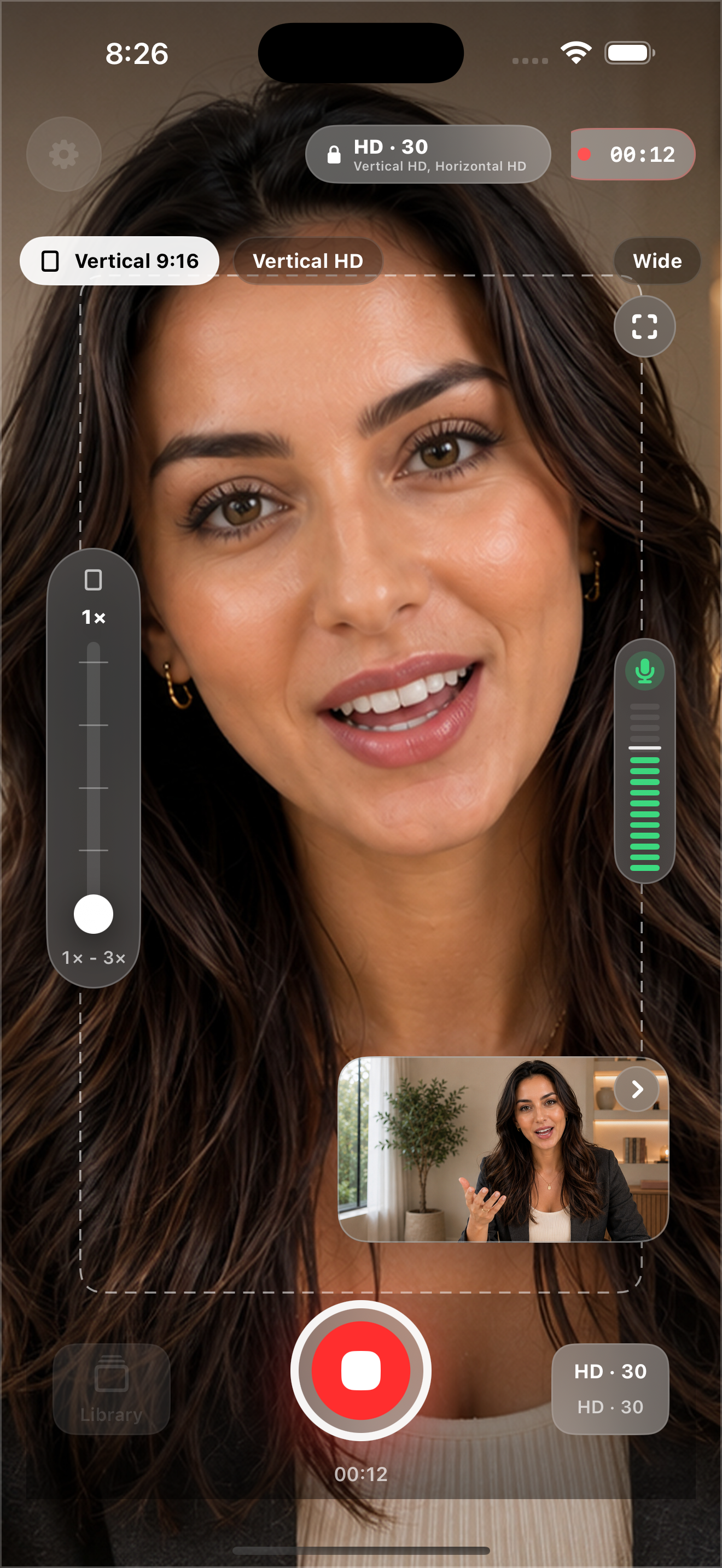
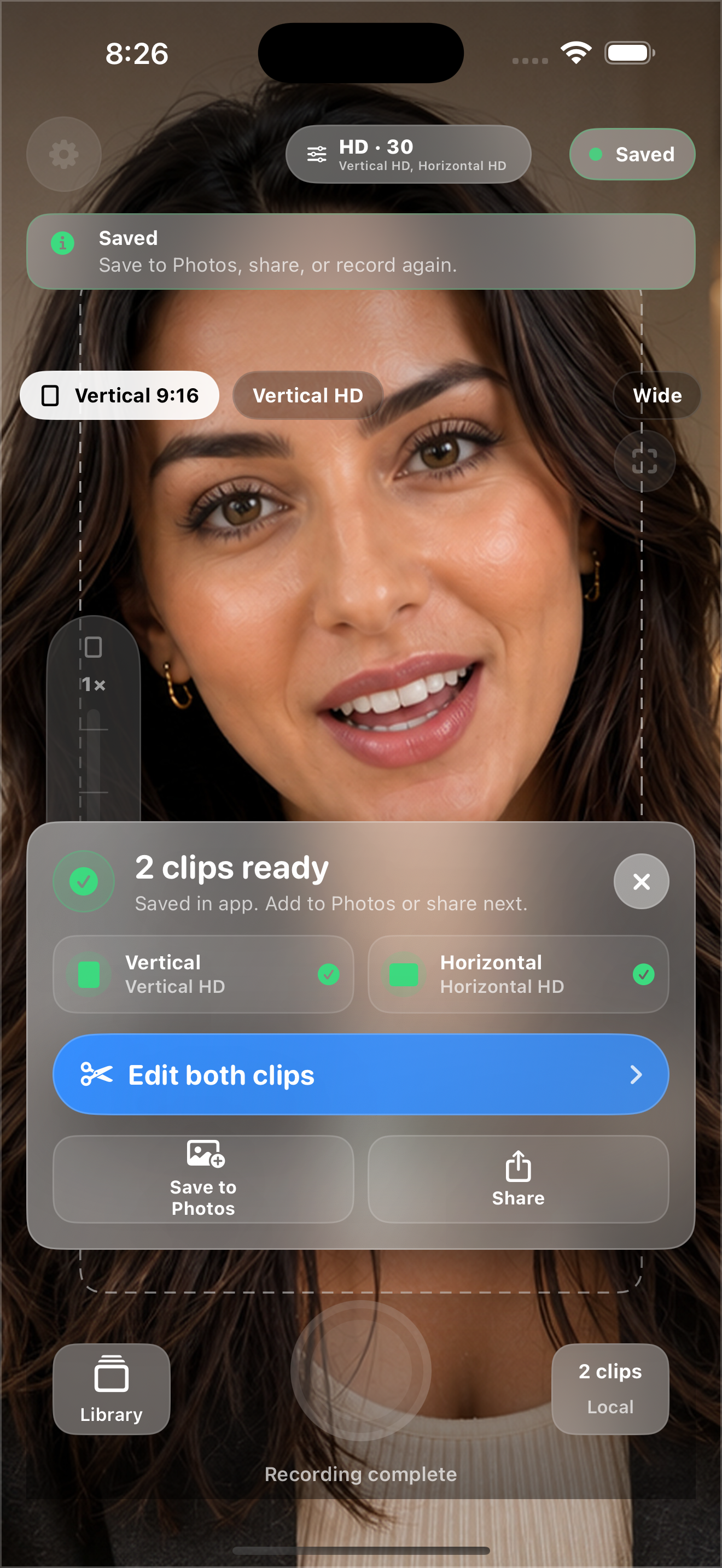
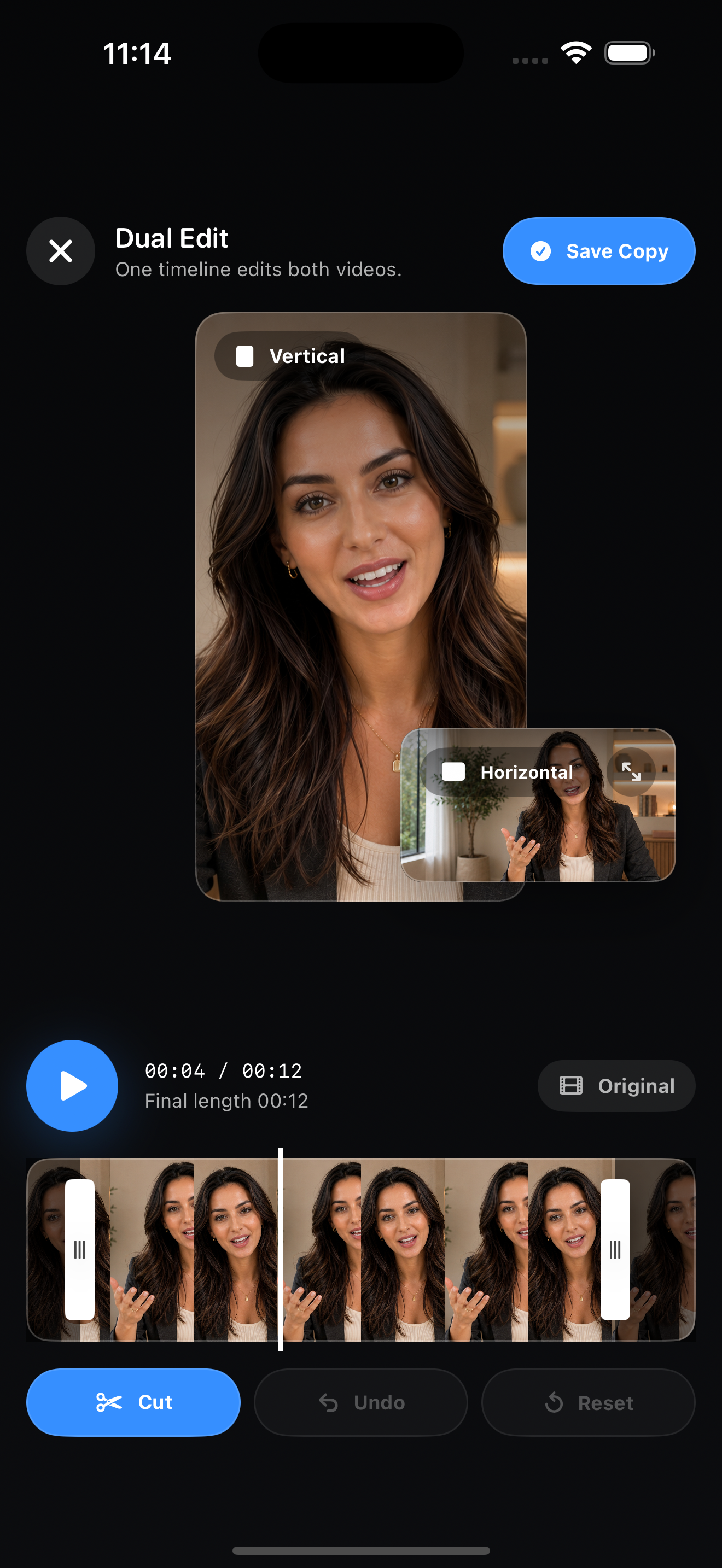
Use the same performance for short vertical platforms and wide horizontal publishing, while keeping the workflow inside one camera app.
Prepare tall clips for TikTok, Instagram Reels, YouTube Shorts, and other vertical feeds.
Create wide clips for YouTube, presentations, websites, and horizontal video players.
Capture the moment once instead of repeating the same shoot or balancing two recording devices.
Download the product assets used on this page, including the App Preview demo video, real app icon, screenshots, legal pages, and marketing copy.
One package with the current website media and copy. The App Preview demo is the same video shown in the phone preview above.
MP4 preview video used in the website hero, ready for review or reuse where accepted.
iPhone and iPad captures covering recording, result tray, editor, and quality selection.
Real 1024x1024 app icon, product copy, Privacy Policy, and Terms of Service.
Find quick answers for recording, saving, sharing, privacy, and device compatibility. If the answer does not cover your issue, use the contact form below to open an editable email draft.
No. Frame Pair Camera is local-first and does not automatically upload recordings, photos, videos, edited clips, or logs.
Dual-camera capture depends on supported hardware, iOS or iPadOS capabilities, active camera conditions, battery, thermal state, and camera pressure. When dual capture is unavailable, the app can fall back to a single-camera workflow when possible.
Yes. On supported devices, Frame Pair Camera records paired vertical and horizontal clips. In single-camera mode, the app can generate both formats locally from one source clip.
Finished videos stay local until you choose what to do next. Save to Photos writes the selected outputs to your Photos library, and Share opens the system share sheet.
Camera and microphone permissions are used for recording. Add-only Photos permission is requested only when you choose to save finished videos to Photos.
No. Report Problem and the website support link create an editable email draft. They are not sent automatically and do not attach recordings, photos, videos, or log files.
Contact form
This prepares an editable email draft. Nothing is sent automatically, and recordings, photos, videos, and logs are not attached.
Download the app from the App Store and record once for vertical and horizontal social video formats.